
Choosing a Chair for Computer Use
The author has often been asked, “How do I choose a chair for computer use?” This is one of the most common questions I receive as a speaker.
While attending furniture sales events, I noticed that there are many brands of chairs designed for computer or office use, making it difficult to choose the right one. Each brand promotes its unique features, but those features may not necessarily mean that the chair is good or suitable. In fact, some of these features may not even be necessary.
Sellers often highlight the advantages but fail to mention the disadvantages, or they may not even be aware of the shortcomings of their products. This leaves buyers at a disadvantage, unsure of how to select a chair that is appropriate for them.
This article aims to present the essential features that a chair should have, helping readers make informed decisions when purchasing a chair. We will not discuss material quality or aesthetics.
Essential Features and Adjustability of a Chair
Must-Have Features refer to those that are indispensable.
Desirable Features are those that enhance the chair's functionality, making it more suitable for individual needs or providing greater comfort.
Optional Features are those that may or may not be necessary, depending on the individual.
Seat Cushion
“Seat Cushion” is the most crucial part. It should be adequately sized, allowing for comfortable seating without feeling cramped. At the same time, it shouldn't be so large that the buttocks or back cannot rest against the cushion, or that the front edge of the cushion presses against the back of the knees. A good seat cushion should be adjustable (see Figure 1).
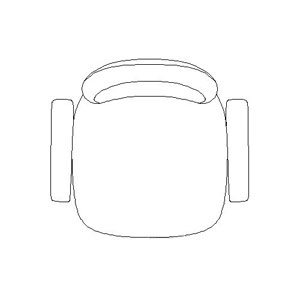
Figure 1: Seat Cushion that Slides Forward and Backward, and Adjustable Armrests
Must-Have Features include the ability to adjust the seat height (to raise or lower the chair).
Desirable Features include the ability to tilt the seat forward or backward (tilting forward is suitable for writing or computer work that requires leaning forward, while tilting backward is ideal for resting against the backrest).
The ability to slide the seat forward and backward means the cushion can be adjusted to extend or retract, and this adjustment can be locked as needed, as individuals have different upper leg lengths.
However, if the chair is not adjustable, choose one with a deeper seat and use a cushion to support the lower back and buttocks, especially for shorter individuals.
Optional Features include the ability to recline along with the backrest when leaning back to rest, with the option to lock this position. This feature is suitable for those who prefer to recline almost to a lying position. If you want to use the chair in this manner, it's essential to test it out, as poorly designed chairs may affect balance and cause tipping backward.
A seat cushion made of multiple pieces may be suitable for those who move frequently, but it can sometimes be annoying due to instability, causing muscle tension to maintain balance.
Backrest
“Backrest” should be large enough to support the entire back. This means the height of the backrest should reach shoulder level, and when seated, the curvature of the cushion should align with the natural curve of the back. Therefore, the backrest should also be adjustable (see Figure 2).
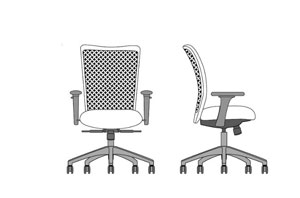
Figure 2: Adjustable Backrest
Must-Have Features include the ability to tilt the backrest backward, with independent adjustment from the seat cushion, and the ability to lock the reclining angle. However, the adjustable angle may depend on the price; higher-priced chairs may allow for a near-horizontal position. The ideal angle for work is around 100 to 120 degrees, depending on the individual and the type of work.
Desirable Features include the ability to adjust the height and weight support for the lower back. This type of adjustment is often found in very expensive chairs, which require a mechanism that works in tandem when adjusting the backrest to different angles.
Cheaper chairs may use a fixed contour to support the lower back, but this is often static and does not change with the angle of the seat.
Nevertheless, I recommend choosing a chair with a contour that suits you and using a cushion that can be adjusted to your desired thickness.
Adjusting the height of the backrest to fit each individual's height may not be very critical, as shorter individuals can still sit comfortably with a higher backrest. A headrest is useful for leaning back against the backrest and can be adjusted for height or tilt.
Optional Features include the ability to recline with the backrest, with the option to lock this position, similar to the features mentioned for the seat cushion.
Armrests
“Armrests” are a component that I consider very important. Many people do not use them because they may feel cumbersome or unnecessary, as they often rest their arms on the table. Good armrests should support the arms while typing but should not be intrusive and should assist in getting in and out of the chair.
Must-Have Features include the ability to adjust the height of the armrests, with the maximum height allowing the arms to be supported while working without straining the shoulders.
Desirable Features include the ability to tilt the armrests inward or outward, depending on the angle of the arms while typing or writing.
The ability to slide the armrests forward and backward makes it easier to get up and sit down, or to support both arms.
The ability to adjust the armrests closer or further away from the body ensures that the arms do not splay out, especially for smaller individuals.
Fixed armrests that are relatively low are only useful for bracing oneself when standing up or sitting down.
The adjustable features of the chair mentioned above are commonly found, yet many people do not know how to adjust them.
Before purchasing, I recommend trying the chair out and adjusting it until satisfied. Do not rely solely on the seller's persuasive words, and ensure that the actual user tests the chair, not someone from the purchasing department or a parent, as each person's physique is different.
Thank you for the information from www.doctor.or.th