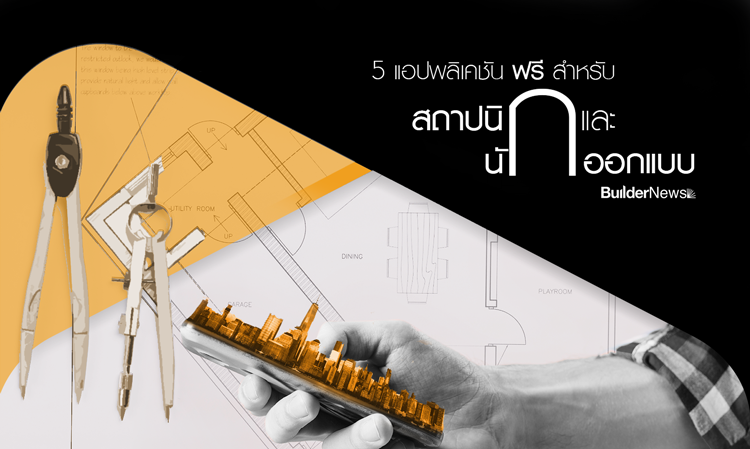
5 "Free" Apps for Architects and Designers
Smartphones have become essential in our daily lives. The leap in smartphone technology has gone hand in hand with advancements in innovation in the form of applications.
This innovation has also expanded into the field of architecture. Currently, smartphone applications for architectural work range from 3D modeling apps to photo editing and more, with options from free versions to those costing thousands. Today, BuilderNews wants to cater to architects and designers in the middle of the month by introducing 5 "free" applications for architecture and design.
Get your smartphone ready and download along with us.
1. AutoCAD 360
AutoCAD is one of the world's leading computer programs for 2D and 3D drafting, developed by Autodesk. It is popular because it can produce almost any type of design. On smartphones, Autodesk has released AutoCAD 360 to put design power in everyone's hands.
AutoCAD 360 is an application for viewing and editing 2D and 3D designs. Its uniqueness lies in the fact that the app is designed to have capabilities almost equivalent to the computer program, allowing for 2D and 3D design. You can view files, back them up, or upload them to the internet and share them with others. Additionally, it supports multi-touch gestures, zooming, and more.
Supported: iOS, Android
2. Magicplan
Developed by Sensopia from Canada, 'Magicplan' is an application that makes designing your home plans more convenient. It boasts over 12 million downloads, won the Best App award in 2012 in three countries, and ranked first in the utility app category in 104 countries.
The Magicplan app is a tool for designing house plans, including 3D interior layouts. Creating a 3D house plan is easy; just use your phone's camera to capture images of the structure from various angles. The app's system will calculate and create a 3D plan of the house, which you can modify or experiment with by placing furniture or altering the house plan.
Supported: iOS, Android
3. Planner 5D – Interior Design
As easy as playing The Sims, this is how BuilderNews describes this app. With a user-friendly interface and a catalog of over 3000 home decor items, Planner 5D – Interior Design is an application that makes decorating your home as easy as playing a game.
Planner 5D Interior Design helps you design homes in both 2D and 3D. Its user interface is so easy that even beginners can use it to design by simply selecting, dragging, and adjusting. Additionally, it features a snapshot function that adjusts lighting, textures, and shadows, making your design model look realistic.
Supported: iOS, Android
4. Shapr3D
This is the world's first 3D CAD (Computer Aided Design) application for professionals on the iPad Pro. This is the first feature you need to know when downloading this app, but it is not as important as its other features. As long as you have an iPad Pro, Apple Pencil, and Shapr3D along with some good inspiration or a cup of coffee, you are ready to create amazing designs.
Sketching in Shapr3D is no different from working on paper; the only difference is that what you sketch in 2D can be transformed into 3D. The functions of holding and dragging create convenience for your designs. Additionally, this application can work with almost all major CAD programs, including SolidWorks, AutoCAD, Fusion360, Rhino3D, and more. You can also import .STEP or .IGES files and export the same file types or STL files compatible with other CAD editing programs.
Supported: iOS
5. BIMx
Alright! When you have an impressive design piece and are about to present it to a client, you probably want to make a great impression, right? Then check out this app; we believe it will make your presentation much more interesting.
BIMx (Building Information Model eXplorer) is an app that calculates your design work and creates a 3D model with animations to make it easier to present. You can navigate forward, backward, and turn left or right within your model. Additionally, it can work with VR technology, allowing you to feel like you're walking through your model in real life.
Supported: iOS, Android
Note: Some images in this article are not related to the content.
Thanks for the information and images from: www.buildernews.in.th